Step 1
Open Settings → Developer
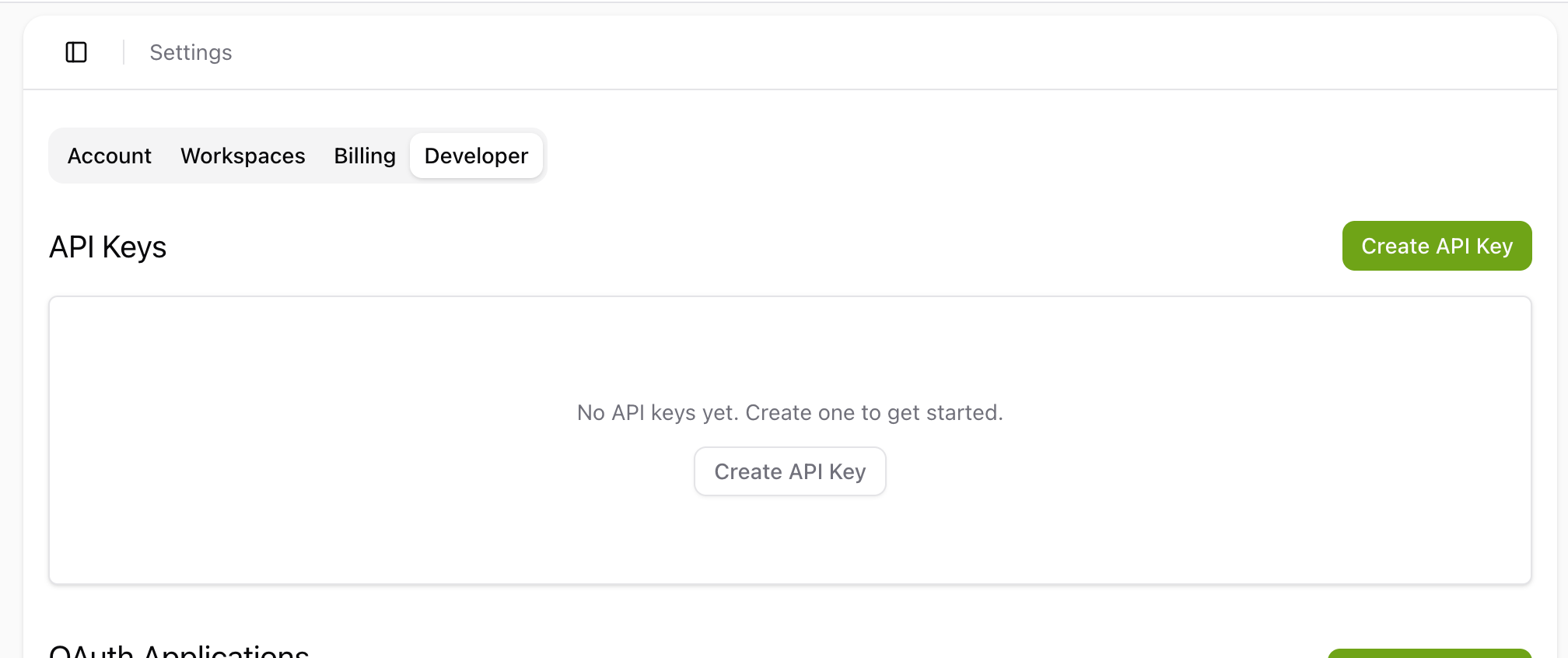
In your Tactic Social account, open Settings and click the Developer tab. You'll see the API Keys section.


Add Tactic Social as an MCP server in Cursor. Authentication uses your API key via an Authorization header — no OAuth flow needed.
Step 1
In your Tactic Social account, open Settings and click the Developer tab. You'll see the API Keys section.
Step 2
Click the green Create API Key button in the top right — a dialog will open to configure your key.
Step 3
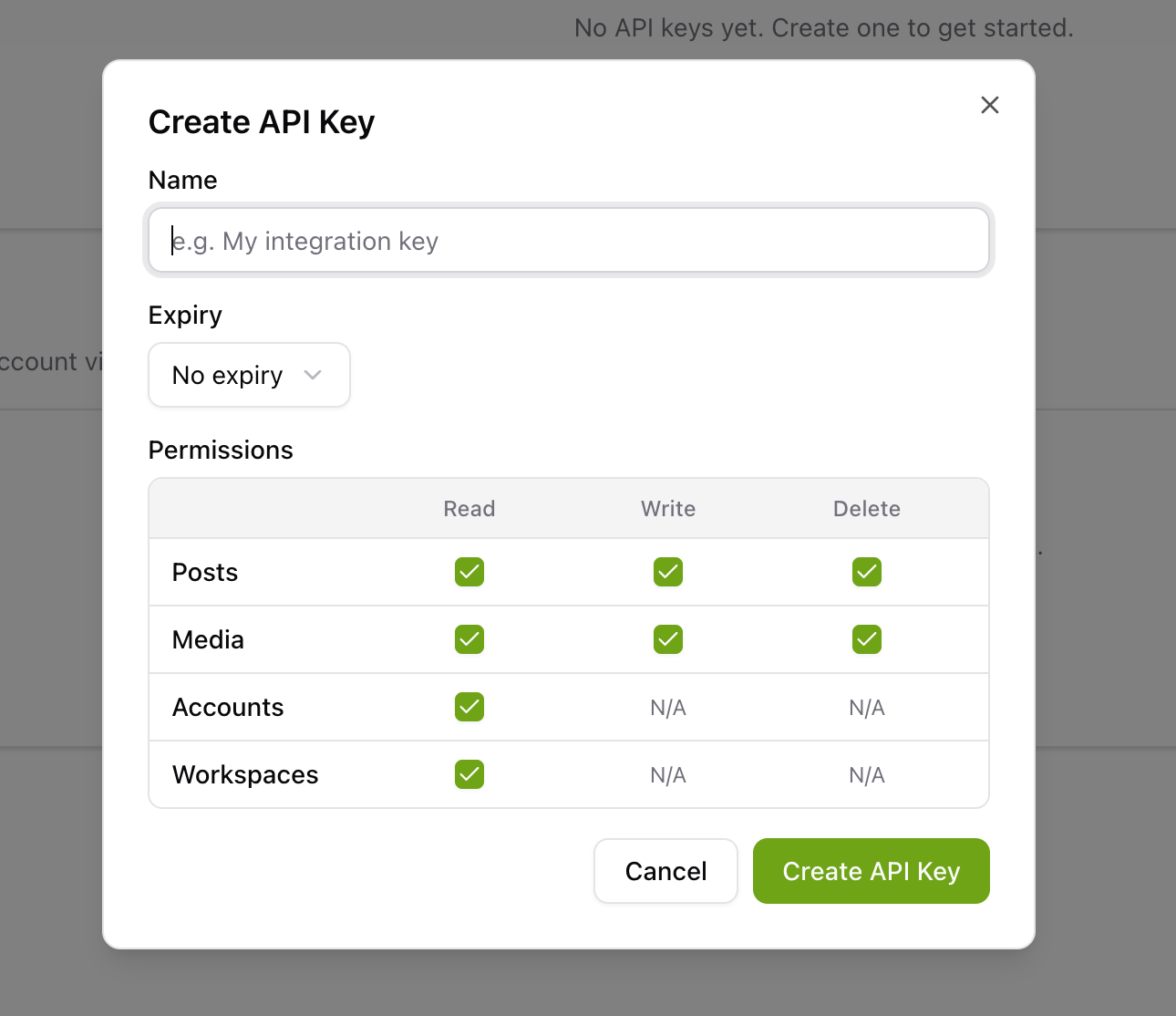
Give your key a name (e.g. My integration key), choose an expiry, and select the permissions you need. Click Create API Key, then copy the key that appears — you'll use it below.
Step 4
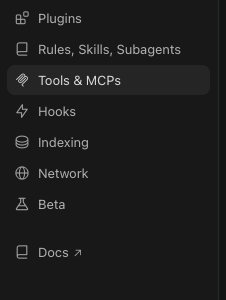
In Cursor, open Settings (⌘, on macOS or Ctrl+, on Windows) and navigate to the Tools & MCP section in the sidebar.
Step 5
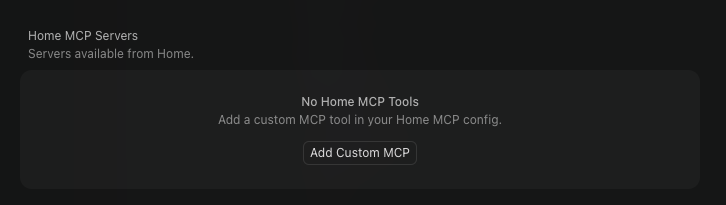
Click the Add Custom MCP button to open the MCP server configuration editor.
Step 6
Add the following JSON into the configuration, replacing YOUR_API_KEY with the key you copied.
Step 7
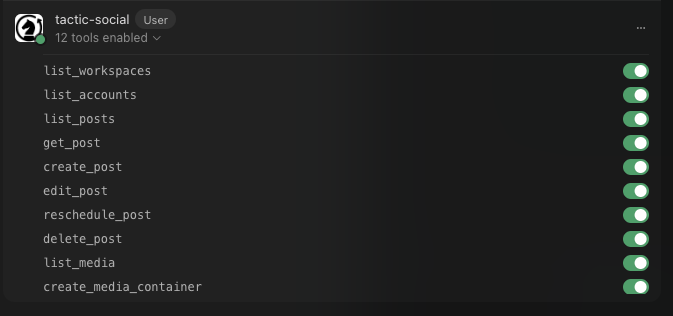
Save the file. Cursor will connect to Tactic Social and the available tools will appear in the Cursor Agent panel. You're ready to start scheduling from the editor.
Try asking your AI assistant to get started:
Click the prompt to copy it
Tactic SocialPost content to all your social media platforms at once. Effortlessly schedule, crosspost, and optimize your content in one place.
Automation
Platforms
Size Guides
© Copyright 2026, All Rights Reserved by Tactic Social